Imagine someone in your city searching Google for “best dentist near me”, “website development company in Siliguri” or “buy office furniture online”.
These people are not necessarily scrolling social media for entertainment. They are actively looking for something.
Now imagine your business appearing when they search for the products or services you offer.
That is one of the biggest opportunities Google Ads provides to small businesses.
You do not always need thousands of social media followers, a famous brand name or years of online visibility to reach potential customers. With a properly planned Google Ads campaign, even a small business can compete for attention when people search for relevant products and services.
But there is a problem.
Many beginners create a Google Ads account, select a few keywords, set a daily budget and start spending money without understanding how the advertising system works.
They receive clicks but very few enquiries. Sometimes their advertisements appear for irrelevant searches. In other situations, people visit their websites but never become customers.
The result? Advertising expenditure without meaningful business growth.
The solution is not simply to increase your budget.
You need to understand how Google Ads works, choose the right campaign type, target relevant searches, create useful advertisements and measure actual business results.
In this guide, we will explain Google Ads for Small Business from the beginning. Whether you operate a local shop, coaching centre, online store, professional service or startup, you will learn how to approach Google advertising practically in 2026.
1. What Is Google Ads?
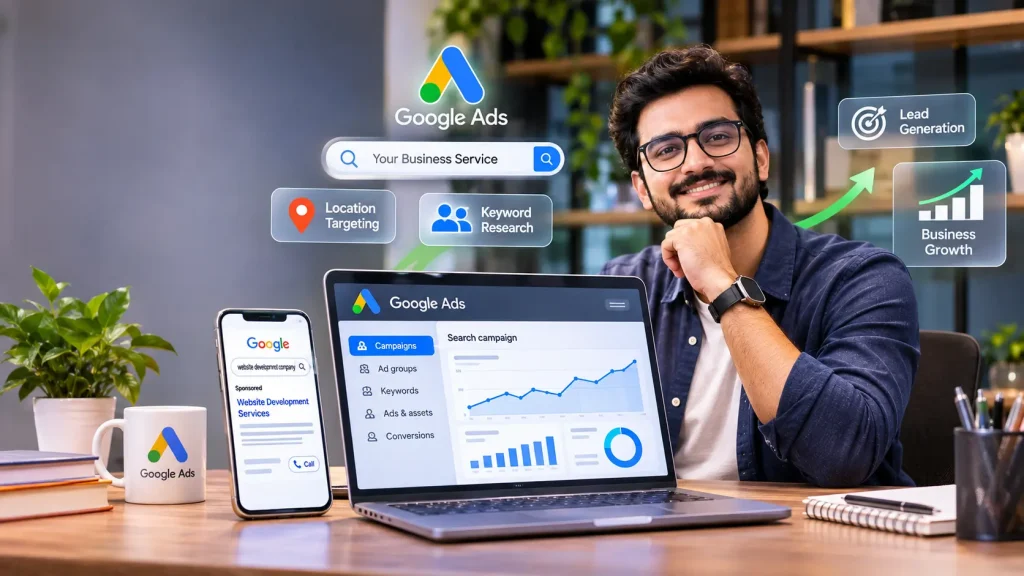
Google Ads is Google’s online advertising platform that allows businesses to promote their products and services across Google’s advertising network.
Businesses can create paid advertisements that may appear in places such as:
- Google Search results.
- YouTube.
- Websites and apps participating in the Google Display Network.
- Google Shopping experiences.
- Other eligible Google advertising placements.
For example, suppose you own a website development company in Kolkata.
Someone searches Google for:
“Website development company in Kolkata.”
If your advertising campaign is eligible for that search and wins the advertising auction, your advertisement may appear among the sponsored search results.
The person can click your advertisement, visit your website and submit an enquiry.
This is one of the main advantages of Google Search advertising: you can reach people who are actively searching for solutions.
How Does Google Ads Work?
Google Ads operates through an advertising auction.
When someone performs a relevant search, Google evaluates eligible advertisements and determines which ads can appear and in what order.
The process considers multiple factors, including:
- Your bid.
- Ad quality.
- Expected impact of ad assets.
- Search context.
- Other auction-time signals.
This means the advertiser with the highest bid does not automatically win every advertising position.
For small businesses, this is important.
You do not necessarily need the biggest budget to compete effectively. Relevant keywords, useful advertisements, a good landing page and appropriate bidding can all contribute to campaign performance.
A Simple Example
Suppose three businesses offer website development services in Siliguri.
A potential customer searches for “website developer in Siliguri”.
All three businesses may compete to show their advertisements.
However, their advertising performance can differ because their bids, ad relevance, landing pages and campaign configurations are different.
The goal is not simply to spend more than competitors.
The goal is to attract the right potential customers at a cost your business can afford.
2. Why Should Small Businesses Use Google Ads in 2026?
Small businesses face several marketing challenges.
They need customers, but they often have limited budgets, small teams and little time to experiment with different marketing channels.
Google Ads can help solve some of these challenges.
2.1 Reach People Who Are Already Searching
This is perhaps the biggest advantage of Google Search Ads.
Consider two situations.
Situation A: Someone is scrolling Instagram and sees an advertisement for a web design company.
Situation B: Someone searches Google for “hire website designer for small business”.
In Situation B, the person is actively looking for a solution.
This does not guarantee that they will purchase immediately, but the search may indicate stronger buying intent.
That makes Google Search advertising particularly useful for businesses offering products or services that people actively search for.
2.2 Generate Customer Enquiries
Many small businesses depend on enquiries before completing a sale.
Examples include:
- Coaching centres.
- Real estate agencies.
- Digital marketing companies.
- Interior designers.
- Consultants.
- Healthcare providers.
- Home repair services.
You can create campaigns designed to generate website enquiries, calls or other relevant conversion actions.
2.3 Target Specific Locations
Suppose you operate a plumbing service in Siliguri.
You do not need to advertise your service to people throughout India.
You can configure location targeting to focus on geographical areas where your business can actually provide services.
This can help reduce irrelevant advertising exposure.
Google Ads location targeting has different options for physical presence and interest in a location. Choose the appropriate setting based on your business requirements. Source: Google Ads Help.
2.4 Control Your Advertising Budget
Unlike traditional advertising packages with fixed prices, Google Ads allows businesses to configure campaign budgets.
You can start with a controlled amount, evaluate performance and make adjustments.
However, remember that a small budget does not guarantee inexpensive clicks or immediate sales.
Your budget must be realistic for the competition and customer acquisition economics of your industry.
2.5 Measure Advertising Performance
Google Ads provides reporting tools to help you understand:
- How many people saw your advertisements.
- How many clicked.
- Which keywords generated traffic.
- How much you spent.
- How many tracked conversions occurred.
- Which campaigns generated better results.
When tracking is correctly configured, you can connect advertising performance with meaningful business outcomes.
This is far more useful than judging a campaign simply by how many visitors it receives.
3. Different Types of Google Ads Campaigns
Before creating your first advertisement, understand the major campaign types available in Google Ads.
Choosing the wrong campaign type can make it difficult to achieve your business objective.
Google’s campaign options include Search, Performance Max, Display, Demand Gen, Shopping, Video and App campaigns. Availability and features depend on the account and campaign setup. Google Ads campaign objectives.
3.1 Search Campaigns
Search campaigns display text advertisements on Google Search when people search for relevant products or services.
Example:
A customer searches for “best interior designer in Kolkata”.
An interior design company can create a Search campaign targeting relevant search terms.
Search campaigns are particularly useful for:
- Service businesses.
- Local businesses.
- Professional consultants.
- Coaching institutes.
- Repair and maintenance services.
- Businesses with high-intent search demand.
For many beginners, Search campaigns are a sensible starting point because the relationship between the customer’s search and the advertised service is relatively easy to understand.
3.2 Display Campaigns
Display campaigns use visual advertisements across eligible websites and apps in the Google Display Network.
These advertisements can include images, graphics and other supported formats.
They are useful for:
- Brand awareness.
- Remarketing.
- Product promotion.
- Reaching audiences while they browse participating websites.
For example, an online furniture business may use Display advertising to introduce its products to relevant audiences.
However, Display clicks may have different purchase intent from Search clicks. Do not evaluate both campaign types using exactly the same expectations.
3.3 Performance Max Campaigns
Performance Max is an automated, goal-based campaign type that can help advertisers reach customers across Google’s advertising channels using one campaign.
Depending on eligibility and configuration, this can include Search, YouTube, Display, Discover-related inventory, Gmail, Maps and other Google properties.
Advertisers provide assets such as:
- Headlines.
- Descriptions.
- Images.
- Logos.
- Videos.
- Audience signals.
- Conversion goals.
Google’s systems use these assets and available signals to help find conversion opportunities.
Performance Max may be useful for businesses that have clear conversion goals and suitable tracking.
However, automation is not a replacement for business strategy.
You still need relevant assets, a strong offer, reliable conversion data and a clear understanding of your customers.
3.4 Shopping Campaigns
Shopping advertising is particularly useful for e-commerce businesses.
These advertisements can display product information such as:
- Product images.
- Product titles.
- Prices.
- Store information.
- Other eligible product details.
For example, an online electronics store can use product advertising to showcase products to people searching for relevant items.
Shopping campaigns depend on product data and Merchant Center setup. Review the current requirements before launching.
3.5 Video Campaigns
Video campaigns help businesses promote products, services and brands through video advertising, including eligible YouTube placements.
They may be useful for:
- Product demonstrations.
- Brand storytelling.
- Tutorials.
- Educational content.
- Building product awareness.
For example, a coaching institute could create a video introducing its courses and teaching approach.
Video advertising can help people understand your offering before they contact your business.
3.6 Demand Gen Campaigns
Demand Gen campaigns help advertisers reach potential customers through visually engaging advertising experiences across eligible Google properties.
They can be useful for discovering new audiences, promoting products and encouraging consideration.
For example, a fashion brand may use attractive product images and videos to introduce a new collection.
3.7 App Campaigns
App campaigns are designed to promote mobile applications and encourage actions such as installations or in-app activity.
They can be useful for:
- Educational apps.
- Shopping apps.
- Financial apps.
- Utility apps.
- Subscription applications.
Which Google Ads Campaign Type Is Best for Small Businesses?
| Business requirement | Campaign type to consider |
|---|---|
| Generate local service enquiries | Search |
| Promote products visually | Shopping |
| Increase brand exposure | Display |
| Promote a business through video | Video |
| Reach new audiences with visual assets | Demand Gen |
| Use Google’s automated multi-channel delivery | Performance Max |
| Promote a mobile application | App |
My recommendation: If you are a beginner with a service-based business and customers actively search for your services, start by understanding Search campaigns before experimenting with more automated campaign types.
4. What Do You Need Before Running Google Ads?
Before creating your first campaign, prepare a few important things.
Starting advertisements without proper preparation can waste your budget.
4.1 A Google Account
You need a Google account to access Google Ads.
Visit Google Ads and create an advertising account.
Use an account that your business can manage long-term. Avoid building your entire advertising setup around an employee’s personal account.
4.2 A Professional Website or Landing Page
Your website is often where potential customers go after clicking your advertisement.
It should clearly explain:
- What your business offers.
- Who your products or services are for.
- Why customers should choose you.
- How customers can contact you.
- What action visitors should take next.
For example, if you advertise website development services, send visitors to a page explaining your website packages rather than simply sending everyone to your homepage.
Your landing page should also work properly on mobile devices.
4.3 Google Analytics and Conversion Tracking
You need a way to measure what happens after someone clicks your advertisement.
Google Analytics 4 (GA4) can help you understand website activity, while Google Ads conversion tracking can measure valuable actions.
Examples include:
- Form submissions.
- Purchases.
- Phone calls.
- Booking completions.
- Qualified enquiries.
Not every website visit should be counted as a conversion.
Choose actions that represent genuine business value.
4.4 Google Business Profile for Local Businesses
If you operate a local business, consider setting up a Google Business Profile.
It helps customers discover important business information, such as your address, opening hours, contact details and customer reviews.
A Google Business Profile is not a replacement for Google Ads, but it can support your overall local marketing strategy.
4.5 A Clear Advertising Offer
Before spending money, decide what you want customers to do.
For example:
- Book an appointment.
- Request a quotation.
- Call your business.
- Purchase a product.
- Register for a course.
- Schedule a consultation.
Your advertisement, website and offer should communicate the same message.
5. How to Set Up Your First Google Ads Campaign
Let’s understand the basic campaign creation process.
For this example, imagine you operate a website development company and want to generate enquiries from businesses in your city.
Step 1: Open Google Ads
Visit Google Ads and sign in.
Select the appropriate advertising account.
If you are managing campaigns for multiple businesses, double-check the account before creating anything.
Step 2: Create a New Campaign
Navigate to the campaign creation option.
Google Ads will guide you through selecting a marketing objective.
For our example, choose Leads.
The objective helps guide the campaign configuration towards your intended business outcome.
Step 3: Select a Campaign Type
Choose Search if your customers actively search Google for website development services.
This allows you to create advertisements that can appear for relevant searches.
Step 4: Configure Conversion Goals
Select the actions that matter to your business.
For example:
- Successful enquiry form submission.
- Qualified phone call.
- Appointment booking.
Make sure conversion tracking is correctly configured.
Do not treat every button click or page view as a successful lead unless it genuinely represents the desired outcome.
Step 5: Choose Your Campaign Settings
Configure:
- Campaign name.
- Target locations.
- Language settings.
- Budget.
- Bidding strategy.
- Relevant networks and other available settings.
For a local service business, geographical targeting deserves special attention.
Step 6: Create Ad Groups
Ad groups organize related keywords and advertisements.
For example, a website development company could organize its campaign like this:
Ad Group 1: Website Development
- Website development company.
- Business website development.
- Professional website developer.
Ad Group 2: E-commerce Website
- E-commerce website development.
- Online shopping website developer.
- E-commerce website design service.
Keep your keyword groups relevant to the advertisements and landing pages.
Step 7: Add Keywords
Enter the search terms you want your advertisements to be eligible for.
Use keyword research rather than guessing randomly.
Start with keywords closely related to your actual products or services.
Step 8: Write Your Advertisement
Create compelling headlines and descriptions.
For example:
Headline ideas:
- Website Development Services.
- Professional Business Websites.
- Build Your Business Website.
- Get a Website Development Quote.
Description:
“Need a professional website for your business? Explore website development solutions designed around your business requirements. Contact us to discuss your project.”
Your advertisement should be clear, relevant and honest.
Step 9: Add Relevant Assets
Google Ads supports different advertising assets depending on campaign type and eligibility.
Useful assets may include:
- Sitelinks.
- Callouts.
- Structured snippets.
- Call assets.
- Location assets.
- Images, where supported.
These can provide additional information and make your advertisement more useful.
Step 10: Review and Publish
Before publishing, check:
- Campaign objective.
- Keywords.
- Location targeting.
- Budget.
- Bidding strategy.
- Ad headlines and descriptions.
- Landing page.
- Conversion tracking.
- Payment settings.
Publish the campaign after reviewing the configuration.
Your advertisement may go through Google’s review process before it becomes eligible to show.
6. Google Ads Keyword Research: How to Find the Right Keywords
Keyword research is one of the most important parts of Google Search advertising.
A keyword represents a term or phrase that you add to your campaign to help determine which searches can trigger your advertisement.
But not every keyword is valuable.
Suppose you provide website development services.
You may want to target searches such as:
- Website development company.
- Hire website developer.
- Business website design.
- E-commerce website development.
However, a search such as “free website development course” may not be relevant if you are trying to attract paying customers.
Your objective should be to identify searches that match your products, services and customer requirements.
6.1 Understand Search Intent
Search intent means understanding why someone is searching.
Consider these examples:
| Search term | Possible intent |
|---|---|
| What is website development? | Learning |
| Website development cost | Researching |
| Website development company near me | Finding a provider |
| Hire website developer | Purchase or hiring intent |
| Free website development tutorial | Learning for free |
For a business generating enquiries, searches with strong commercial intent may be more valuable.
However, informational searches can also be useful for businesses with longer customer journeys.
6.2 Use Google Keyword Planner
Google provides a tool called Keyword Planner.
You can use it to:
- Discover keyword ideas.
- Explore search volume estimates.
- Review competition indicators.
- Explore estimated advertising bid ranges.
- Plan keyword lists.
Access it through the Tools section of Google Ads.
Remember that keyword volume and bid estimates are planning information, not guaranteed campaign results.
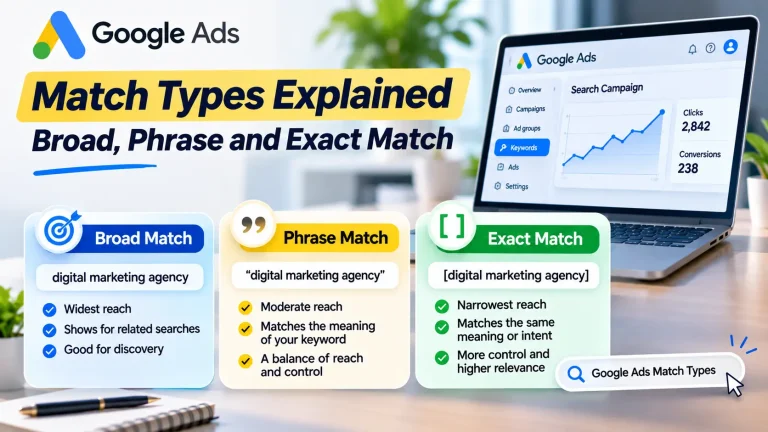
6.3 Understand Keyword Match Types
Google Ads has three main keyword match types.
Broad Match
Broad match can help your advertisements reach searches related to your keyword.
For example, a keyword about website development may match searches with related meaning, even when the exact wording differs.
It offers wider reach but requires appropriate monitoring.
Phrase Match
Phrase match allows advertisements to show for searches that include the meaning of your keyword.
It offers a balance between reach and control.
Exact Match
Exact match provides more control by focusing on searches with the same meaning or intent as your keyword.
It generally reaches fewer searches than broader matching options.
Google’s matching system considers meaning and intent, not simply identical wording. Official keyword matching guide.
Example syntax:
| Match type | Keyword example |
|---|---|
| Broad | website developer |
| Phrase | “website developer” |
| Exact | [website developer] |
Which Match Type Should Beginners Use?
There is no universal answer.
If you have a limited budget and want more control over the searches you target, phrase and exact match can be useful starting points.
Broad match can also be valuable when used with suitable conversion tracking and Smart Bidding.
Google recommends combining broad match with Smart Bidding in appropriate conversion-focused campaigns. However, beginners should understand their tracking, search terms and business goals before expanding too broadly.
6.4 Use Negative Keywords
Negative keywords help prevent your advertisements from showing for irrelevant searches.
For example, a website development company may want to exclude searches containing:
- Free.
- Jobs.
- Salary.
- Internship.
- Tutorial.
- Course.
These terms are only examples. Add negative keywords based on your actual services and search term reports.
Review the search terms triggering your advertisements regularly.
This is one of the most useful ways to identify irrelevant traffic and improve campaign efficiency.
7. Google Ads Budget for Small Business: How Much Should You Spend?
One of the biggest concerns for small business owners is advertising cost.
The good news is that Google Ads does not require a fixed monthly advertising subscription.
You choose your campaign budget based on your goals and what your business can afford.
However, there is no universal daily budget that works for every industry.
Suggested Starting Budgets in India
Here is an illustrative planning framework for a small business.
| Budget level | Average daily budget | Approx. monthly budget |
|---|---|---|
| Small test | ₹200 | ₹6,080 |
| Basic test | ₹300 | ₹9,120 |
| Moderate test | ₹500 | ₹15,200 |
| Larger test | ₹1,000 | ₹30,400 |
These examples use 30.4 days for monthly planning. They are not Google’s minimum budget requirements or guaranteed performance recommendations.
How Does Google’s Daily Budget Work?
Google Ads generally uses an average daily budget.
Your actual expenditure can vary from one day to another.
For most campaigns using average daily budgets, Google may spend up to twice your average daily budget on a particular day, while the monthly spending limit is generally 30.4 times that average daily budget.
For example, if your average daily budget is ₹500:
- Average daily budget: ₹500.
- Daily spending limit: ₹1,000.
- Monthly spending limit: ₹15,200.
This is an important distinction when planning advertising expenditure.
Review Google’s official average daily budget documentation before setting your campaign budget.
How Should You Decide Your Budget?
Start by answering three questions.
1. What is your average customer value?
If one customer generates ₹20,000 in revenue, you may be able to spend more to acquire that customer than a business earning ₹500 per transaction.
2. What is your profit margin?
Revenue alone does not determine how much you can spend on advertising.
Consider delivery costs, product costs, employee expenses and other operating costs.
3. How many customers can your business handle?
If you can serve only ten new customers per month, generating 100 additional enquiries may not be useful.
Your advertising budget should match your business capacity.
Understand Cost Per Lead
Suppose you spend ₹5,000 and receive 25 enquiries.
Your cost per lead is:
CPL = Advertising Spend ÷ Number of Leads
CPL = ₹5,000 ÷ 25
CPL = ₹200.
But this does not mean every lead is worth ₹200.
You should also measure how many enquiries become actual customers.
For example:
- Advertising spend: ₹5,000.
- Total enquiries: 25.
- Qualified enquiries: 15.
- Paying customers: 3.
Your customer acquisition cost is:
CAC = ₹5,000 ÷ 3 = ₹1,666.67.
This is a more useful figure when evaluating whether your advertising is commercially sustainable.
8. Google Ads Bidding Strategies Explained
Bidding determines how Google Ads competes for advertising opportunities.
Your bidding strategy should match your business objective and the amount of reliable conversion data available.
Some common strategies include:
Maximize Clicks
This strategy aims to generate as many clicks as possible within your budget.
It may be useful when your immediate goal is website traffic.
However, more clicks do not automatically mean more customers.
Maximize Conversions
This automated bidding strategy aims to generate as many conversions as possible within your budget.
It is useful when your conversion tracking is working correctly and you have a meaningful conversion goal.
Target CPA
Target CPA aims to generate conversions around a target average cost per acquisition.
For example, you may want to acquire leads at an average cost of ₹300.
The actual cost of individual conversions can vary, and setting an unrealistic target may limit delivery.
Maximize Conversion Value
This strategy aims to maximize the total conversion value within your budget.
It can be useful for businesses that track different conversion values.
For example, an online store may want to generate more revenue rather than simply more purchases.
Target ROAS
Target ROAS aims to achieve a specified return on advertising spend based on conversion value tracking.
This is generally more relevant for businesses that have reliable conversion value data.
Beginner recommendation: Do not select an automated bidding strategy simply because it sounds advanced. First configure meaningful conversion tracking and understand what action you want Google to optimize for.
9. How to Write Google Ads That Attract Customers
Your advertisement needs to stand out while remaining relevant to the customer’s search.
For Search campaigns, responsive search ads allow advertisers to provide multiple headlines and descriptions. Google can test combinations of these assets to find relevant combinations.
9.1 Include the Main Service
If someone searches for website development, your advertisement should clearly communicate that you provide website development.
Avoid vague headlines that do not explain your offering.
9.2 Focus on Customer Benefits
Instead of writing:
“We provide professional services.”
Try:
“Build a Professional Website for Your Business.”
The second headline communicates a more specific benefit.
9.3 Add a Clear Call to Action
Examples include:
- Get a Quote.
- Contact Our Team.
- Book a Consultation.
- Explore Services.
- Shop Now.
Choose an action that matches the customer’s buying stage.
9.4 Use Relevant Advertising Assets
Sitelinks can direct visitors to useful website pages.
For example:
- Website Development.
- E-commerce Solutions.
- Portfolio.
- Contact Us.
Call assets may help eligible businesses encourage phone enquiries.
Location assets may help local businesses display relevant business information.
Use assets that genuinely improve the customer’s experience.
10. Conversion Tracking: How to Know Whether Google Ads Is Working
Imagine your campaign receives 500 clicks.
Is it successful?
Not necessarily.
If nobody contacts your business or purchases your products, those clicks may have little commercial value.
This is why conversion tracking matters.
A conversion is an important action that you want someone to complete after interacting with your advertisement.
Examples include:
- Submitting an enquiry form.
- Making a purchase.
- Calling your business.
- Booking an appointment.
- Signing up for a service.
Google Ads Conversion Tracking
Google Ads provides conversion measurement tools that help businesses understand which campaigns contribute to valuable actions.
Depending on your website and setup, you may implement conversion tracking using:
- Google tag.
- Google Tag Manager.
- GA4 integration.
- Website event tracking.
- Other supported conversion sources.
Make sure important actions are configured correctly.
For example, counting every visit to your contact page as a lead can produce misleading reporting.
A successful form submission is generally a more meaningful lead event.
Why Conversion Quality Matters
Suppose Campaign A generates 50 leads at ₹100 each.
Campaign B generates 20 leads at ₹200 each.
At first glance, Campaign A looks better.
But what if only two leads from Campaign A become customers, while ten leads from Campaign B become customers?
Campaign B may actually be more profitable.
Track qualified leads and paying customers wherever possible.
11. Google Ads for Local Businesses
Google Ads can be particularly useful for businesses serving specific geographical areas.
Examples include:
- Restaurants.
- Salons.
- Clinics.
- Coaching centres.
- Repair services.
- Real estate agencies.
- Local retailers.
- Home improvement companies.
A Practical Local Advertising Strategy
Suppose you own an AC repair business in Siliguri.
Start with the following approach:
Step 1: Identify your service locations.
Focus on areas where you can realistically provide repairs.
Step 2: Research relevant searches.
Examples:
- AC repair in Siliguri.
- Air conditioner servicing near me.
- AC technician in Siliguri.
Step 3: Create relevant advertisements.
Communicate your service, location and contact method.
Step 4: Send visitors to a useful destination.
This could be a service landing page with a phone number and enquiry form.
Step 5: Track calls and enquiries.
Measure how many relevant customers contact your business.
Step 6: Review search terms.
Exclude irrelevant searches that consume your advertising budget.
The important thing is to attract people who can actually become customers.
12. Common Google Ads Mistakes Small Businesses Should Avoid
Mistake 1: Targeting Too Many Keywords
Adding hundreds of unrelated keywords does not automatically improve performance.
Start with keywords closely connected to your services.
Organize them into relevant ad groups.
Mistake 2: Ignoring Negative Keywords
Without negative keyword management, your advertisements may appear for searches that have nothing to do with your business.
Review search terms regularly and exclude irrelevant queries.
Mistake 3: Sending Every Visitor to the Homepage
A person searching for a particular service should ideally reach a page explaining that service.
A relevant landing page makes the customer’s next step easier.
Mistake 4: Not Tracking Conversions
Without proper tracking, you may end up optimizing for clicks rather than business outcomes.
Set up meaningful conversion actions before relying heavily on automated bidding.
Mistake 5: Using an Unrealistic Budget
A very small budget in a highly competitive industry may generate insufficient data or limited traffic.
Plan according to your market and business economics.
Mistake 6: Changing Campaign Settings Too Frequently
Constantly changing keywords, budgets, bids and advertisements makes it difficult to understand what is improving performance.
Make changes based on evidence rather than panic.
Mistake 7: Ignoring Mobile Users
Many potential customers search using smartphones.
Check your website on mobile devices.
Make sure contact buttons work, forms are easy to complete and pages load properly.
Mistake 8: Expecting Immediate Profit
Google Ads can generate traffic soon after a campaign becomes eligible to serve.
But profitable customer acquisition may require testing, tracking and improvements.
Do not expect guaranteed sales from the first few clicks.
13. Google Ads vs Meta Ads: Which Is Better for Small Businesses?
Both platforms can be useful, but they serve different marketing purposes.
| Comparison | Google Ads | Meta Ads |
|---|---|---|
| Main opportunity | Reach people searching for solutions | Reach people through social and visual discovery |
| Typical strengths | Search intent and demand capture | Awareness, discovery and engagement |
| Platforms | Google Search, YouTube and other eligible placements | Facebook, Instagram and other Meta placements |
| Useful for | Search-driven products and services | Visually attractive products and audience discovery |
| Creative approach | Search text, images, videos and product assets depending on campaign | Images, videos, Reels and other formats |
| Targeting signals | Keywords, location, audiences and other signals | Audience settings, engagement and other signals |
| Lead generation | Search and other eligible campaign types | Lead forms and supported messaging experiences |
When Should You Choose Google Ads?
Consider Google Ads when:
- Customers actively search for your service.
- You want to capture existing demand.
- Your business solves a specific customer problem.
- Your industry has relevant search volume.
When Should You Choose Meta Ads?
Consider Meta Ads when:
- Your products are visually appealing.
- You want to introduce a new product.
- Your audience discovers products through social media.
- You want to create demand through content and offers.
Should You Use Both?
Yes, when your budget and business requirements support it.
For example, a furniture business could use Meta Ads to introduce new designs and Google Ads to reach people searching for furniture stores or specific products.
The platforms can complement each other.
However, do not divide a limited advertising budget between multiple platforms before understanding which channel can generate valuable customers.
14. A Practical 30-Day Google Ads Action Plan
If you are completely new to Google Ads, use this simple plan.
Days 1–5: Prepare Your Business
- Create your Google Ads account.
- Identify your ideal customer.
- Select your primary advertising goal.
- Prepare your landing page.
- Set up relevant conversion tracking.
- Decide your geographical service area.
Days 6–10: Research and Create
- Research keywords using Keyword Planner.
- Identify high-intent searches.
- Organize related keywords.
- Prepare negative keyword ideas.
- Write relevant headlines and descriptions.
- Review your landing page.
Days 11–17: Launch
- Select the appropriate campaign type.
- Set your average daily budget.
- Configure location targeting.
- Review bidding settings.
- Publish your advertisements.
- Check campaign approval and delivery.
Days 18–24: Analyze
- Review search terms.
- Check clicks and conversions.
- Identify irrelevant searches.
- Review landing page performance.
- Evaluate lead quality.
- Check whether conversion tracking is working.
Days 25–30: Improve
- Refine keyword targeting.
- Improve advertisements.
- Add relevant negative keywords.
- Review bidding and budget.
- Identify the strongest campaign elements.
- Plan your next testing period.
This is a starting framework, not a guarantee that every business will become profitable within 30 days.
Some industries need longer evaluation periods because their customers take more time to make purchasing decisions.
15. Should You Manage Google Ads Yourself or Hire a Professional?
You do not always need an agency to start advertising.
If your business has simple requirements and you have time to learn, managing a small campaign yourself may be reasonable.
However, Google Ads has many settings, measurement requirements and optimization opportunities.
Professional support may be helpful when:
- Your advertising expenditure is increasing.
- Your campaigns are generating irrelevant traffic.
- You need advanced conversion tracking.
- You operate in a competitive industry.
- You manage multiple campaigns.
- You do not have time to monitor performance.
Before hiring an agency or specialist, ask:
- What is your campaign strategy?
- How will you measure actual leads and sales?
- Who owns the Google Ads account?
- What is included in the management fee?
- How frequently will you provide reports?
- How will you manage irrelevant search traffic?
- How will you evaluate campaign profitability?
Avoid anyone who guarantees a specific number of sales without understanding your business, market and budget.
A good advertising professional should explain the strategy, risks and expected measurement process clearly.
16. The Most Important Lesson: Google Ads Cannot Fix a Weak Website or Offer
There is one thing every small business owner should understand.
Google Ads can bring potential customers to your business, but it cannot automatically convince them to purchase.
Imagine someone searches for a website development company and clicks your advertisement.
They visit your website and discover:
- No clear service information.
- No pricing guidance.
- No portfolio.
- No contact details.
- No explanation of your process.
What happens?
They may leave and contact another provider.
The problem is not necessarily the advertisement.
It may be the website or the offer.
Think about your customer journey:
- Search: A potential customer searches Google.
- Advertisement: Your relevant advertisement appears.
- Click: The customer visits your website.
- Evaluation: The customer understands your service and offer.
- Enquiry: The customer contacts your business.
- Follow-up: Your team responds and answers questions.
- Conversion: The customer becomes a paying client.
Every stage matters.
A good Google Ads campaign should work together with a useful website, clear communication and a reliable sales process.
FAQ:
1. Is Google Ads suitable for small businesses?
Yes. Google Ads can help small businesses reach potential customers searching for relevant products and services. It can be particularly useful for local businesses, service providers and online stores.
2. How much does Google Ads cost in India?
There is no fixed advertising price. You control your average daily budget, while actual click costs vary according to competition, keywords, industry, location and campaign settings.
3. Can I run Google Ads with ₹200 per day?
Yes, you can set a budget of ₹200 per day where supported. However, whether this budget can generate meaningful traffic and conversions depends on your industry, competition and keyword costs.
4. Do I need a website to run Google Ads?
Not for every campaign. However, a professional website or landing page is valuable for many businesses, particularly those generating enquiries or online purchases. Certain campaign formats may support other eligible destinations.
5. Which Google Ads campaign is best for beginners?
Search campaigns are often a practical starting point for service businesses whose customers actively search for their services. Other businesses may benefit from Shopping, Performance Max, Video or other campaign types.
6. How long does Google Ads take to generate results?
Advertisements can start delivering after approval, but meaningful conversions and profitability may take longer. Results depend on budget, competition, search demand, website quality and conversion tracking.
7. What is the difference between SEO and Google Ads?
SEO focuses on improving organic visibility in search results without paying for each organic click. Google Ads provides paid advertising opportunities. SEO can build long-term visibility, while Google Ads can help businesses reach relevant searches through paid campaigns.
8. What is CPC in Google Ads?
CPC means Cost Per Click. It represents the amount paid for an advertising click under a CPC pricing arrangement. Actual costs depend on bidding and auction conditions.
9. What are negative keywords?
Negative keywords help prevent advertisements from appearing for irrelevant searches. For example, a paid website development service may exclude searches related to free tutorials or employment opportunities.
10. Is Google Ads better than Facebook Ads?
Neither is universally better. Google Ads can be effective for capturing existing search demand, while Facebook and Instagram advertising can help businesses discover and engage potential customers. Your choice should depend on your audience and marketing objective.
CONCLUSION:
Google Ads for Small Business can be a powerful way to attract people who are actively searching for your products and services.
But success does not come from simply creating an account, adding keywords and spending money.
It comes from understanding your customers, choosing the right campaign type, researching relevant keywords, creating useful advertisements and measuring actual business results.
If you are a beginner, start with a clear objective and a manageable budget. Build a relevant landing page, configure conversion tracking and regularly review your search terms.
Do not focus only on clicks or impressions.
Focus on qualified enquiries, paying customers, customer acquisition cost and profitability.
And remember: advertising is only one part of the customer acquisition process. Your website, offer, customer experience and follow-up system must work together.
Start with a clear strategy, test carefully, learn from the data and scale when the numbers make business sense.
That is how small businesses can approach Google advertising more intelligently in 2026.
Read More : Meta Ads for Small Business: Complete Beginner’s Guide (2026)
Contact us:
Want to generate more qualified enquiries and customers through Google Ads?
SouravLabs helps businesses approach digital marketing with practical strategies focused on customer acquisition, lead generation and measurable business growth.
Whether you need help with Google Ads campaign setup, keyword research, conversion tracking, landing page improvements or campaign optimization, the right strategy can help you make better use of your advertising budget.
Let’s discuss your business requirements.
SouravLabs
Website: https://souravlabs.com
Email: contact@souravlabs.com
RESEARCH REFERENCES:
- Google Ads Help — About campaign objectives.
- Google Ads Help — Choose the right campaign type.
- Google Ads Help — Keyword matching options.
- Google Ads Help — About average daily budgets.
- Google Ads Help — Choose your bid and budget.
- Google Ads Help — Geographic location targeting.
- Google Ads Help — About Smart Bidding.