Imagine someone searching Google for exactly what your business offers.
They type “best website development company near me”, “AC repair service in Kolkata” or “spoken English classes in Bankura”. Your competitors appear at the top of the search results, but your business is nowhere to be seen.
Wouldn’t it be useful if your advertisement could appear when those potential customers are actively looking for your products or services?
That’s what Google Search Ads can help you achieve.
However, creating a Google Ads campaign is not simply about opening an account, adding a few keywords and choosing a daily budget. A poorly configured campaign can spend money on irrelevant searches, attract visitors who never become customers and make it difficult to understand whether your advertising is working.
The solution is to build your campaign around a clear business objective.
In this guide, you’ll learn how to create a Google Ads campaign step by step, from account preparation and keyword research to campaign settings, ad copy, budgeting, conversion tracking and ongoing optimisation.
The examples focus mainly on small businesses and local service providers. You can adapt the same process for professional services, coaching centres, retail stores and other businesses that want to reach customers through Google Search.
1. What Is a Google Search Ads Campaign?
Google Ads is Google’s online advertising platform. It allows businesses to promote their products and services across different advertising placements.
A Search campaign is a campaign type that allows your advertisements to appear on Google Search when people search for relevant products, services or information.
For example, suppose you own a digital marketing agency in Kolkata.
A potential customer searches for:
- Google Ads agency in Kolkata
- Digital marketing services for small businesses
- Google Ads management company
- Lead generation agency near me
Your Search campaign can make your advertisement eligible to appear for relevant searches, depending on your keywords, targeting, budget, bidding and the advertising auction.
When someone clicks your advertisement, they visit the landing page you selected.
From there, they might:
- Submit an enquiry form.
- Call your business.
- Send a WhatsApp message.
- Book an appointment.
- Purchase a product.
This is why Search Ads can be useful for businesses that want to reach people who are already looking for a solution.
How is a Search campaign different from other Google Ads campaigns?
Google Ads offers several campaign types, including Search, Display, Shopping, Video, Demand Gen and Performance Max.
Each campaign type serves a different purpose.
| Campaign type | Main purpose |
|---|---|
| Search | Reach people searching for relevant products or services |
| Display | Show visual advertisements across eligible websites and apps |
| Shopping | Promote products using product information and feeds |
| Video | Reach audiences through video advertising placements |
| Demand Gen | Generate demand across eligible visual and discovery placements |
| Performance Max | Access multiple Google advertising channels through one campaign |
If your customers actively search for your service on Google, a Search campaign is often a sensible starting point.
For example, a person searching for an emergency plumber is expressing a more immediate need than someone casually watching a video about home improvement.
That doesn’t mean Search Ads are right for every business. You need sufficient search demand, a clear offer and a landing page that can convert interested visitors.
2. What Do You Need Before Creating a Google Ads Campaign?
Before opening Google Ads, prepare the basic elements of your campaign.
This step may look simple, but it can prevent several expensive mistakes.
2.1 A Google Ads account
Visit Google Ads and sign in with your Google account.
If you are advertising for your own business, use an account that your business can access and manage.
If you are working with an agency or freelancer, make sure your business retains appropriate ownership and administrative access. Avoid losing control of your advertising account when a working relationship ends.
You’ll also need to complete the account’s billing requirements before your campaign can run.
2.2 A clear advertising goal
Ask yourself what you actually want customers to do.
Do you want them to:
- Purchase a product?
- Submit an enquiry?
- Call your business?
- Book a consultation?
- Register for a course?
- Visit your store?
Your campaign objective should reflect the action that matters to your business.
For example, a coaching centre may want admission enquiries, while an ecommerce store may want completed purchases.
Don’t select website traffic simply because you want more visitors. If your real goal is sales or leads, your campaign should be planned and measured around those outcomes.
2.3 A suitable website or landing page
Your landing page is the page people visit after clicking your advertisement.
Suppose you advertise website development services.
Sending every visitor to a general homepage may not be the best choice if you already have a dedicated website development service page.
A relevant landing page should explain:
- What you offer.
- Who the service is for.
- What problem you solve.
- Why customers should consider your business.
- What the next step is.
- How visitors can contact you.
Make sure the page loads properly on mobile devices. Your phone number, enquiry form and important information should be easy to find.
2.4 Conversion tracking
Conversion tracking helps you measure valuable actions that happen after someone interacts with your advertisement.
For a service business, useful conversions might include:
- A successfully submitted enquiry form.
- A qualified phone call.
- A completed appointment booking.
For an online store, a completed purchase may be the main conversion.
Without reliable conversion tracking, you may know how many clicks your campaign receives but not how many customers it generates.
You can configure website conversion tracking using the Google tag or a linked Google Analytics 4 property, depending on your setup.
Official guide: Set up your web conversions.
3. Step 1: Create a New Campaign in Google Ads
Once your account is ready, you can start creating your first Search campaign.
Follow these steps:
- Sign in to your Google Ads account.
- Open the Campaigns section.
- Select the option to create a new campaign.
- Choose your campaign objective.
- Select Search as the campaign type.
- Review the conversion goals associated with the campaign.
- Continue to campaign setup.
The exact screens may look slightly different depending on Google’s account onboarding experience and interface updates.
Which campaign objective should you choose?
Google Ads may offer objectives such as Sales, Leads and Website traffic, along with an option to create a campaign without goal guidance.
Choose the objective that best represents your business requirement.
| Business requirement | Suitable objective to consider |
|---|---|
| Generate service enquiries | Leads |
| Receive product orders | Sales |
| Increase relevant website visits | Website traffic |
| Create a campaign with more manual control | Without goal guidance |
For most local service businesses, Leads is a logical starting point.
For example, if you run a dental clinic, you may want people to call your clinic or request an appointment.
If you operate an ecommerce store, Sales may be more suitable.
Important: Google’s current Search campaign creation guidance requires at least one conversion goal for campaign performance optimisation, even when you choose to create a campaign without goal guidance. Make sure the selected goal represents a meaningful customer action.
4. Step 2: Choose a Campaign Name and Structure
After selecting your objective and campaign type, Google Ads will ask you to configure your campaign.
Start with a descriptive campaign name.
Avoid names such as:
- Campaign 1
- New Campaign
- Test Ads
Instead, use names that make the purpose clear.
Examples:
- Search | Website Development | Kolkata
- Search | AC Repair | Siliguri
- Search | Coaching Admissions | Bankura
- Search | SEO Services | West Bengal
A consistent naming structure makes it easier to manage multiple campaigns later.
Why does campaign structure matter?
A Google Ads account has a hierarchy.
| Level | What it contains |
|---|---|
| Account | Your overall Google Ads account |
| Campaign | Budget, campaign-level settings and targeting |
| Ad group | Related keywords and advertisements |
| Ads | The actual advertisements people may see |
| Keywords | Search terms used to determine ad eligibility |
Think of the campaign as a container for a particular advertising objective.
Ad groups organise closely related services or products within that campaign.
For example, a website development business might use one campaign with separate ad groups for:
- Business website development.
- Ecommerce website development.
- WordPress website development.
However, don’t create too many ad groups unnecessarily. Start with a manageable structure in which each group has a clear theme and a relevant landing page.
5. Step 3: Set Your Target Locations
Location targeting is especially important for small businesses.
Suppose you own a coaching centre in Bankura. You may not want to spend your advertising budget reaching people who live hundreds of kilometres away.
Similarly, a local repair business may only serve selected neighbourhoods.
Google Ads allows you to target geographical locations such as countries, states, cities and other available areas.
How to choose your target location
During campaign setup:
- Find the location targeting section.
- Select the locations where you want your advertisements to appear.
- Add relevant cities, regions or available geographical areas.
- Exclude locations that are outside your service area.
- Review the location options before continuing.
For a local business, don’t automatically target an entire country just because your service is available online.
Start with the geographical area you can realistically serve.
Understand location presence and interest
Location targeting can involve different relationships between a person and a selected location.
For example, someone may physically be in Kolkata, while another person living elsewhere may be searching for services in Kolkata.
If your business only serves customers physically located in a particular area, review the advanced location options and consider the setting that focuses on people who are in or regularly in your targeted locations.
If you provide services to people researching a destination from outside that area, a broader location option may be more appropriate.
The correct choice depends on your business model.
Example: A local coaching centre
Suppose a coaching centre operates in Bankura town.
Its initial campaign might target Bankura and nearby areas from which students can realistically travel.
It would be unnecessary to spend the entire budget targeting unrelated locations unless the institute also offers online classes.
Practical tip: Review the geographical location report after your campaign starts. It can help you identify whether clicks and conversions are coming from the areas you actually want to reach.
6. Step 4: Choose Your Language Settings
Google Ads provides language-related campaign settings.
Choose languages that are relevant to the customers you want to reach and the advertisements and landing page you provide.
For a business serving customers in West Bengal, English and Bengali may be relevant depending on the audience and advertising material.
However, selecting a language does not automatically translate your advertisement.
If you want to reach Bengali-speaking customers, prepare appropriate Bengali ad copy and ensure the landing page provides a suitable experience.
Keep your message easy to understand.
A customer should not have to struggle to understand what your business offers.
7. Step 5: Select Your Bidding Strategy
Bidding determines how Google Ads uses your budget in the advertising auction.
Your bidding strategy should match your campaign objective and the data available in your account.
Some commonly used bidding strategies include:
Maximise Clicks
Maximise Clicks aims to get as many clicks as possible within your budget.
It can be useful when your immediate goal is to generate website traffic or gather initial traffic data.
However, more clicks do not automatically mean more customers.
If your campaign needs enquiries, monitor whether the clicks are relevant and whether visitors complete meaningful actions.
Maximise Conversions
Maximise Conversions aims to generate as many conversions as possible within your budget.
It is generally more useful when you have correctly configured conversion tracking and a meaningful conversion action.
For example, if you run a coaching centre, you might optimise for completed admission enquiry forms rather than ordinary page views.
Target CPA
Target CPA is an automated bidding option that aims to achieve conversions at an average cost per acquisition you specify.
It is more suitable when you understand your conversion data and have a realistic idea of what an enquiry or acquisition is worth.
Setting an unrealistic target can restrict campaign delivery.
Maximise Conversion Value
This strategy aims to maximise the total value of conversions.
It can be useful for businesses that track different conversion values, such as ecommerce stores where purchases have different order values.
Target ROAS
Target ROAS aims to optimise advertising around conversion value relative to advertising spend.
It is generally more relevant when you have reliable conversion value tracking and sufficient data.
Which bidding strategy should a beginner choose?
There is no single bidding strategy that works for every new campaign.
Consider this simple approach:
| Your situation | What to consider |
|---|---|
| You mainly want relevant website traffic | Maximise Clicks |
| You want enquiries and have working conversion tracking | Maximise Conversions |
| You have reliable conversion history and a cost target | Target CPA |
| You track different purchase values | Conversion Value or Target ROAS |
Don’t select an advanced strategy simply because it sounds more professional.
First make sure your conversion actions are accurate. If Google receives incorrect conversion signals, automated bidding may optimise towards the wrong activity.
You can review Google’s current bidding guidance in Google Ads Help.
8. Step 6: Set Your Daily Advertising Budget
Your budget determines how much you are willing to spend on advertising.
Google Ads commonly uses an average daily budget for campaign spending.
For example, suppose you set an average daily budget of ₹500.
Your planned monthly spending level would be approximately:
₹500 × 30.4 = ₹15,200
This is an illustration of the average monthly budgeting calculation, not a promise that exactly ₹500 will be spent every calendar day. Google may spend more on some days and less on others, subject to its applicable monthly charging limits and budget rules.
How much should a small business spend?
Your starting budget depends on:
- Industry competition.
- Average cost per click.
- Target location.
- Number of services advertised.
- Available search demand.
- Expected conversion rate.
- Business profitability.
For example, a local coaching centre and a high-value B2B consultancy may have very different advertising economics.
Before selecting a budget, estimate how much you can afford to spend while testing the campaign.
A simple budget planning example
Imagine you want to generate enquiries for a local website development business.
Suppose your initial planning assumptions are:
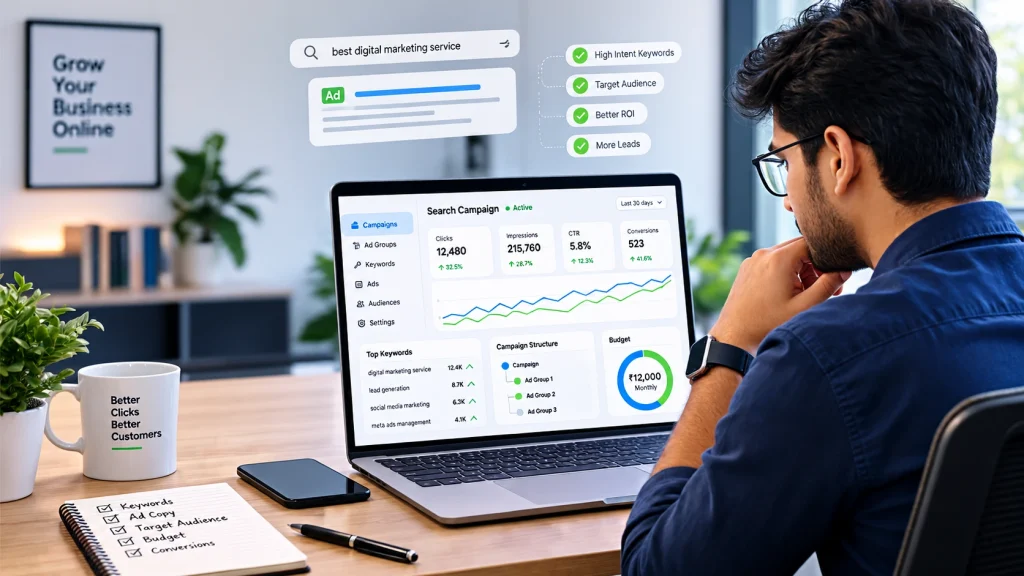
- Average cost per click: ₹40.
- Monthly advertising budget: ₹12,000.
- Estimated clicks: 300.
The estimated click calculation is:
₹12,000 ÷ ₹40 = 300 clicks.
Now suppose 3% of those visitors submit an enquiry.
300 × 3% = 9 enquiries.
These are hypothetical calculations, not expected or guaranteed results. Actual cost per click and conversion rate can be very different.
The exercise helps you understand why a campaign needs both a budget and a conversion plan.
Don’t spend your entire budget on day one
Start with a budget your business can comfortably test.
Review search terms, location performance, conversion quality and landing page behaviour before making significant increases.
Increasing the budget without understanding campaign performance can simply increase wasted expenditure.
9. Step 7: Choose Your Campaign Networks and Additional Settings
During campaign creation, Google Ads may offer additional network settings.
For a campaign intended specifically for Search advertising, review these options carefully.
Google Search Network
This is where your Search campaign can show eligible advertisements on Google Search.
Search Partners
Search partner placements can extend your reach to additional search-related properties.
Whether to include them depends on your campaign goals and the quality of traffic you receive.
For a new campaign, you may choose to begin with a more controlled setup and evaluate partner performance before expanding.
Display Network
Display advertising reaches people through eligible websites and apps using visual ad formats.
It is different from showing text advertisements directly in Google Search results.
If your goal is to test a focused Search campaign, avoid enabling additional network placements without understanding how they affect your campaign.
You can test other advertising channels separately when you have a clear reason to do so.
Other settings worth reviewing
Depending on the campaign and account interface, you may see options related to:
- Start and end dates.
- Ad scheduling.
- URL tracking parameters.
- Campaign-level conversion goals.
- Device and audience settings.
- Additional campaign settings.
For a local business, ad scheduling may be useful if your team can only respond to enquiries during particular hours.
However, don’t restrict your ads to business hours automatically. People may search outside those hours and submit forms that your team can handle later.
10. Step 8: Conduct Keyword Research
Keyword research is one of the most important steps in creating a Search campaign.
Your keywords help Google determine which searches may be relevant to your advertisements.
The goal is not to add as many keywords as possible.
The goal is to identify searches made by people who are likely to need your product or service.
Start with your main services
Suppose you run an AC repair business in Kolkata.
Your initial keyword ideas might include:
- AC repair service.
- AC repair in Kolkata.
- Air conditioner servicing.
- AC technician near me.
- Split AC repair.
- AC maintenance service.
These keywords are related to the service you provide.
Now compare them with less relevant searches:
- How to repair an AC at home.
- AC technician jobs.
- AC repair course.
- Free AC repair training.
Depending on your business model, these searches may attract people who are not looking to hire your service.
Use Google Keyword Planner
Google Keyword Planner is a useful starting point for keyword research.
You can access it from your Google Ads account.
Use it to:
- Discover keyword ideas.
- Enter your products or services.
- Select relevant locations and language settings.
- Review keyword suggestions.
- Explore estimated search volume and competition information.
- Identify terms relevant to your campaign.
Remember that keyword planning estimates are not guarantees of traffic or advertising performance.
Understand keyword match types
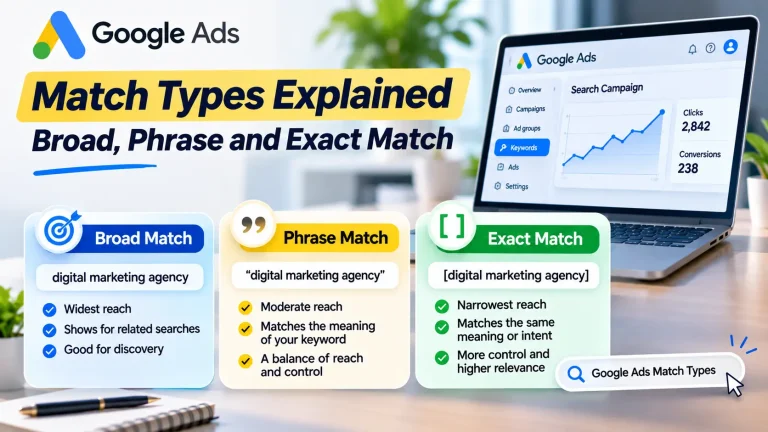
Google Ads provides three main keyword match types.
| Match type | Example | General purpose |
|---|---|---|
| Broad match | AC repair | Reach a wider range of related searches |
| Phrase match | “AC repair” | Reach searches related to the meaning of the phrase |
| Exact match | [AC repair] | Focus more closely on searches with the same meaning or intent |
A common beginner mistake is assuming exact match means the search must contain precisely the same words.
Google’s matching system also considers close variants and meaning.
Match types control how broadly your keywords can match to searches, but they do not work as simple word-for-word filters.
Which match type should you start with?
For a new campaign where you want more control over search relevance, phrase and exact match can be useful starting points.
You can expand your targeting after reviewing actual search-term performance.
Broad match may help reach additional relevant searches, particularly when paired with suitable automated bidding and reliable conversion data.
However, using broad match without monitoring search relevance can expose your budget to searches that are not useful for your business.
Create tightly themed ad groups
Organise keywords according to the service or product they represent.
For example:
Campaign: AC Repair Kolkata
Ad Group 1: AC Repair
- “AC repair service”
- [AC repair in Kolkata]
- “AC technician in Kolkata”
Ad Group 2: AC Servicing
- “AC servicing in Kolkata”
- [air conditioner servicing]
- “AC maintenance service”
Ad Group 3: Split AC Repair
- “split AC repair”
- [split AC technician]
- “split air conditioner service”
Each ad group should have advertisements and a landing page that closely match its theme.
Don’t put unrelated services into one ad group simply to reduce setup time.
11. Step 9: Add Negative Keywords
Negative keywords help prevent your advertisements from appearing for searches that are not relevant to your business.
This is one of the most useful ways to control wasted advertising expenditure.
Suppose you provide paid AC repair services.
You probably don’t want to attract people searching for AC repair jobs or training courses.
Potential negative keywords could include:
- jobs
- vacancy
- salary
- course
- training
- tutorial
These are examples only. Review your actual search terms before adding exclusions.
How to add negative keywords
- Open your Google Ads campaign.
- Navigate to the Keywords section.
- Find the Negative keywords option.
- Select the option to add negative keywords.
- Choose the relevant campaign or ad group.
- Enter the terms you want to exclude.
- Save your changes.
You can also organise frequently used exclusions into shared negative keyword lists where appropriate.
Be careful with negative keywords
Negative keywords can block useful traffic if you add them without understanding their impact.
For example, a business selling online courses should not automatically exclude the word “course”.
The correct negative keyword list depends on what you sell and which searches you want to attract.
Review the search terms report regularly and update exclusions based on actual campaign data.
12. Step 10: Create Your Responsive Search Ad
Now it’s time to write the advertisements people may see.
Google Search campaigns commonly use Responsive Search Ads.
With Responsive Search Ads, you provide multiple headlines and descriptions. Google tests different combinations and may show combinations it expects to be relevant to a particular search.
You can provide up to 15 headlines and 4 descriptions in a single Responsive Search Ad.
The standard character limits are:
- Headline: up to 30 characters.
- Description: up to 90 characters.
- Display path field: up to 15 characters each.
Always check the current requirements inside your Google Ads account.
How to write effective headlines
Your headlines should communicate different useful messages.
For an AC repair business, possible headline ideas include:
- AC Repair in Kolkata
- Book AC Service Today
- Experienced AC Technicians
- Call for AC Repair
- Split AC Repair Service
- Reliable AC Maintenance
- Request a Service Visit
- Local AC Repair Experts
Avoid writing several headlines that repeat the same idea.
Instead, include a mixture of:
- Your main service.
- Your location.
- Customer benefits.
- Relevant offers.
- Your business’s genuine strengths.
- A clear call to action.
How to write descriptions
Descriptions provide additional information about your service.
Example 1:
“Need AC repair in Kolkata? Contact our team to discuss your service requirements and book a visit.”
Example 2:
“Get help with AC servicing and maintenance. Call us today to check service availability in your area.”
These are sample advertisements. Use only claims, offers and service details that your business can genuinely provide.
Add the final URL
The final URL is the webpage visitors reach after clicking your advertisement.
Choose the most relevant landing page.
For example:
- AC repair ads → AC repair service page.
- Ecommerce ads → Relevant product or category page.
- Coaching admission ads → Course or admission page.
- Website development ads → Website development service page.
Don’t send every advertisement to the homepage if a more relevant page is available.
Add display paths
Display paths help communicate the topic of your landing page.
For example:
yourwebsite.com/ac-repair/kolkata
The display path is a visual part of the advertisement. It does not have to be the exact URL structure of the final landing page.
How many advertisements should you create?
Google’s current guidance recommends providing a strong variety of unique headlines and descriptions.
Its Search campaign setup guide recommends at least three ads per ad group in the workflow it documents, while its Responsive Search Ads guidance also discusses using multiple strong responsive ads.
For a beginner, focus first on creating at least one well-developed Responsive Search Ad with relevant, varied assets. Where practical, test another distinct ad rather than creating duplicate advertisements with almost identical wording.
Official guide: About Responsive Search Ads.
13. Step 11: Add Relevant Ad Assets
Ad assets provide additional information and ways for customers to interact with your advertisement.
They can make your ad more useful and may increase its visibility.
Common assets include:
Sitelink assets
Sitelinks direct people to other relevant pages on your website.
For example:
- Our Services.
- Pricing.
- About Us.
- Contact Us.
- Customer Reviews.
Use pages that provide genuine value to the visitor.
Callout assets
Callouts highlight useful business information.
Examples:
- Free Consultation.
- Flexible Scheduling.
- Local Service Team.
- Online Booking Available.
Only use statements that accurately describe your business.
Structured snippet assets
Structured snippets can display a list of relevant products, services or categories.
For example, a digital agency might highlight:
- SEO.
- Google Ads.
- Website Development.
- Social Media Marketing.
Call assets
Call assets can display a phone number and make it easier for eligible users to contact your business.
Use a number that your team can answer reliably.
Location assets
Location assets can display relevant business location information through an eligible linked business profile.
They may be useful for businesses that want to encourage nearby visits.
Why should you use assets?
Assets give potential customers additional information before they click.
For example, a person searching for a coaching centre may find it useful to see separate links for course details, admission information and contact details.
Choose assets based on the customer’s needs rather than adding every available option without a purpose.
14. Step 12: Set Up Conversion Tracking Before You Launch
This is one of the most important steps in the entire process.
A campaign may receive hundreds of clicks but generate very few genuine enquiries.
Without conversion tracking, it becomes difficult to understand whether your advertising is producing business results.
What should you track?
Choose conversions based on your business model.
| Business type | Useful conversion actions |
|---|---|
| Coaching centre | Admission enquiry, appointment booking |
| Local service provider | Qualified phone call, enquiry form |
| Ecommerce store | Completed purchase |
| Consultant | Consultation booking |
| B2B business | Qualified lead submission |
How to configure website conversion tracking
The exact process depends on your website and tracking setup, but the general steps are:
- Open the Goals section in Google Ads.
- Navigate to the conversion summary or conversion actions area.
- Choose the option to create a new conversion action.
- Select the website as the data source.
- Enter your website information.
- Follow the instructions to connect your Google tag or relevant Google Analytics 4 property.
- Choose the conversion category.
- Configure the event or page-load condition.
- Save the conversion action.
- Test whether the conversion is being recorded correctly.
For example, if your website has a thank-you page that appears only after a successful enquiry form submission, you may be able to use that page view as a conversion condition.
For button clicks, dynamic values or more complex tracking requirements, a code-based setup may be necessary.
Avoid counting every click as a lead
A visitor clicking your phone number is not always the same as a completed phone conversation.
Similarly, someone opening a WhatsApp link has not necessarily sent a message.
Where possible, distinguish between an initial interaction and a completed, meaningful enquiry.
For businesses that receive many low-quality enquiries, consider connecting your lead management process or CRM data so you can understand which enquiries become genuine opportunities.
Test your tracking
Before spending significant money, verify that your conversion actions work.
Check the tag installation, test the relevant form or event and review the conversion status in Google Ads.
Incorrect tracking can mislead your campaign decisions and affect automated bidding.
15. Step 13: Review and Publish Your Campaign
Before publishing, carefully review the campaign.
Check the following:
- Correct campaign objective.
- Search campaign type selected.
- Appropriate campaign name.
- Correct geographical targeting.
- Relevant language settings.
- Suitable bidding strategy.
- Realistic daily budget.
- Relevant keywords.
- Negative keyword list.
- Correct ad group structure.
- Accurate headlines and descriptions.
- Appropriate final URLs.
- Useful ad assets.
- Working conversion tracking.
- Valid billing information.
Google Ads may display warnings or recommendations during the review process.
Resolve errors that prevent your campaign from running.
Once everything is ready, publish the campaign.
Your advertisements may go through Google’s review process before becoming eligible to show. Approval and delivery can take time, so don’t assume that a campaign will start receiving impressions immediately.
You can monitor the campaign status from the Google Ads dashboard.
16. What Should You Do After Launching Your Campaign?
Publishing your campaign is not the end of the process.
The first few weeks are important for understanding how your settings perform in real searches.
However, avoid changing every setting every day. Frequent changes can make it harder to understand which adjustments are helping.
Review search terms
Search terms are the actual queries people entered before your advertisement appeared.
Compare them with your intended keywords.
For example, if you offer paid AC repair services, you may discover searches related to:
- AC repair jobs.
- AC repair training.
- DIY AC repair.
- AC spare parts.
Some of these may be irrelevant to your offer.
Add suitable negative keywords after reviewing the context.
Review your location performance
Check whether clicks and conversions are coming from the geographical areas you intended to target.
If your service only covers a few cities, irrelevant location traffic may waste budget.
Adjust your targeting where necessary.
Evaluate conversion quality
Don’t judge your campaign only by the number of conversions displayed in Google Ads.
Ask:
- Are people contacting us about the advertised service?
- Are enquiries coming from our target locations?
- Are potential customers able to afford our offer?
- Are calls genuine?
- Are form submissions relevant?
- Are enquiries turning into sales?
A campaign that generates ten relevant enquiries may be more valuable than one that generates fifty irrelevant enquiries.
Improve your landing page
If your advertisement receives clicks but visitors do not enquire, investigate the landing page.
Check whether:
- The page matches the advertisement.
- The service is clearly explained.
- Pricing or relevant offer details are available where appropriate.
- The contact form works.
- The phone number is visible.
- The page loads properly on mobile.
- Visitors can understand the next step.
Sometimes the problem is not the keyword or advertisement. It may be the page visitors reach after clicking.
17. Common Google Ads Campaign Setup Mistakes
Beginners often make avoidable mistakes during campaign creation.
Here are some important ones to watch out for.
Mistake 1: Choosing the wrong campaign type
If your goal is to reach people actively searching for a service, a Search campaign may be more suitable than starting with a Display campaign.
Understand the purpose of each campaign type before selecting one.
Mistake 2: Using too many unrelated keywords
A campaign containing keywords for several unrelated services becomes difficult to manage.
Organise keywords into relevant ad groups and connect each group to suitable advertisements and landing pages.
Mistake 3: Ignoring negative keywords
Irrelevant searches can consume advertising budget.
Review search terms regularly and build a negative keyword list based on actual traffic.
Mistake 4: Targeting an unnecessarily large location
A local business does not always need national targeting.
Choose locations based on where you can realistically sell, deliver or provide your service.
Mistake 5: Sending all visitors to the homepage
A person searching for a specific service should ideally reach a page about that service.
The closer the relationship between the search, advertisement and landing page, the easier it is for visitors to understand your offer.
Mistake 6: Not setting up conversion tracking
Clicks and impressions are useful measurements, but they do not tell the full business story.
Track meaningful leads, calls, bookings or purchases.
Mistake 7: Selecting a bidding strategy without understanding the goal
Maximise Clicks and Maximise Conversions are designed around different outcomes.
Choose a strategy that matches your objective and available data.
Mistake 8: Writing generic advertisements
An advertisement should explain what you offer and why it is relevant.
Avoid vague messages that could describe almost any business.
Mistake 9: Increasing the budget too quickly
More spending does not automatically solve poor targeting or weak conversion performance.
Identify the problem before increasing the budget.
Mistake 10: Ignoring lead quality
A low cost per lead may look attractive, but it is not useful if most enquiries are irrelevant.
Measure the quality of enquiries and connect campaign performance with actual business outcomes.
18. A Practical 7-Day Google Ads Launch Plan
If you’re a beginner, use this simple plan to organise your campaign setup.
Day 1: Define the objective
- Identify the product or service you want to advertise.
- Decide whether you need sales, calls or enquiries.
- Define your target customer.
- Select the geographical area you can serve.
- Set a realistic test budget.
Day 2: Prepare your landing page
- Create or review the relevant service page.
- Add a clear description of your offer.
- Make contact information visible.
- Check the mobile experience.
- Test enquiry forms and phone links.
Day 3: Complete keyword research
- Use Keyword Planner.
- List relevant customer searches.
- Identify high-intent keywords.
- Group related keywords.
- Prepare initial negative keyword ideas.
Day 4: Create the campaign
- Choose Search as the campaign type.
- Select the objective.
- Configure locations and language.
- Choose a suitable bidding strategy.
- Set the daily budget.
- Create relevant ad groups.
Day 5: Prepare advertisements and tracking
- Write unique headlines.
- Prepare descriptions.
- Add relevant ad assets.
- Select suitable landing pages.
- Configure conversion tracking.
- Test important conversion actions.
Day 6: Review everything
- Check keyword relevance.
- Review negative keywords.
- Verify location settings.
- Check the budget and bidding.
- Test the landing page.
- Resolve campaign warnings.
Day 7: Publish and monitor
- Publish the campaign.
- Check its approval status.
- Monitor impressions and clicks.
- Confirm that conversion tracking works.
- Review early search-term information when available.
This is a preparation and launch schedule, not a promise of profitable results within seven days. Your campaign may need more time and data before you can make reliable optimisation decisions.
Also Read : How Local Businesses Get Leads Using Google Ads
19. Should You Create Google Ads Campaigns Yourself or Hire an Agency?
You can create a Google Ads campaign yourself if your requirements are straightforward and you have time to learn the platform.
A small local business with one service and a limited target area may be able to begin with a carefully structured campaign.
However, professional support may be useful when:
- Your industry has strong advertising competition.
- You manage several products or services.
- You need advanced conversion tracking.
- Your campaign receives clicks but few qualified enquiries.
- You need ongoing search-term analysis.
- You want to manage multiple locations.
- You don’t have time to monitor and improve campaigns.
Before hiring an agency, ask how it will approach keyword research, campaign structure, location targeting, negative keywords, conversion tracking and reporting.
Make sure you retain appropriate access to your Google Ads account.
A good advertising partner should explain what is being done, why it is being done and how the results will be measured.
If you want professional support, explore SouravLabs Google Ads Management. The service focuses on campaign structure, keyword research, location targeting, ad copy, conversion tracking and ongoing optimisation.
20. Final Advice: Build Your Campaign Around Enquiries, Not Just Clicks
Creating a Google Ads campaign is technically straightforward.
The more important challenge is creating a campaign that attracts the right people and turns their interest into meaningful business opportunities.
A successful setup starts with a clear objective, a relevant landing page, carefully selected keywords, sensible location targeting and accurate conversion tracking.
After launch, review search terms, evaluate lead quality and improve the parts of the campaign that are not working.
Remember one principle:
The purpose of Google Ads is not simply to make people click your advertisement. It is to connect your business with people who have a genuine reason to become your customers.